Building Lao Karaoke: How I Made It
/ 7 min read
Table of Contents
Try the tool first: lao-karaoke.xiengperm.dev (free, no sign-up, runs in your browser)
Earlier I wrote about Lao Karaoke and what it does (that one’s in Lao). This post is the behind-the-scenes: how I actually built it, what I chose, and what tripped me up. There’s one part I’m keeping to myself, and I’ll point it out when we get there.
The real problem isn’t the code
Before writing a single line of code, the hardest question was: “which spelling is the correct one?” Lao karaoke (typing Lao with Latin letters, the way people already do in chats and song lyrics) has no standard. One person types khob jai, another types kob chai, and neither is wrong.
So the goal of the tool was never “give the one right answer.” It was “offer the spellings people actually use, then let the user pick.” Nailing that goal down early shaped every decision that followed.
That said, I didn’t start from zero. One reference I leaned on was the Lao Ministry of Health’s romanization system, a formal Lao→Latin scheme that gave me a sensible baseline to build out from.
Funny part: by the time I went looking for it, the website hosting it had gone offline.
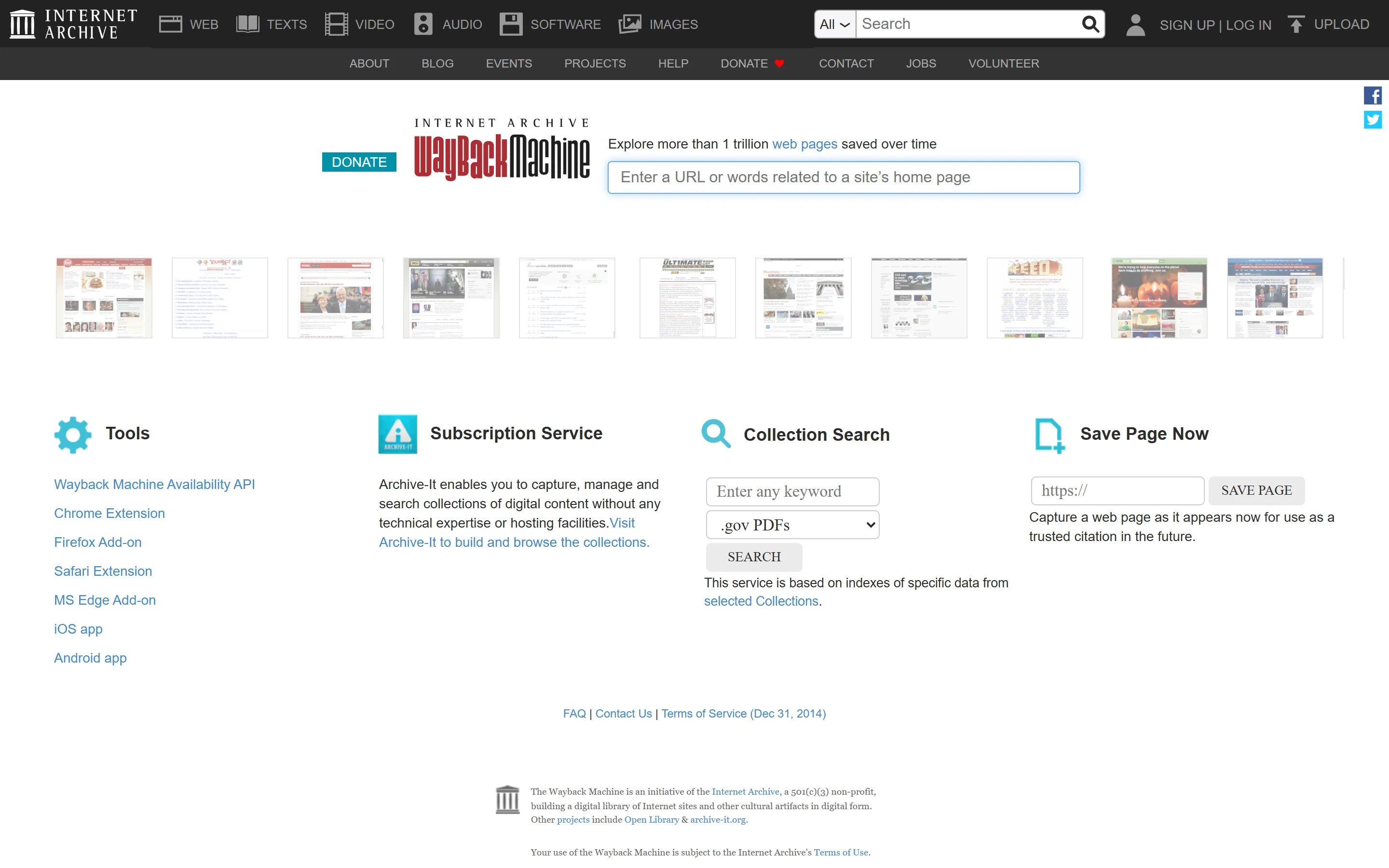
I only got to it because the Wayback Machine had a copy archived. (I haven’t linked the snapshot itself here, because when I went back to grab a stable URL for this post I couldn’t dig it up again, which honestly proves the point.) Without the archive I’d have lost a useful starting point entirely. Links rot, and the Internet Archive quietly saves work that would otherwise just disappear.
What I used, and why
The site is built with Astro as a static site, TypeScript for the logic, and Tailwind for styling. But the most important decision was this: make it run entirely in the browser (client-side), with no server.
Three reasons:
- Fast. Conversion happens on the user’s device instantly, no round-trip to a server.
- Private. Whatever you type never leaves your machine.
- Cheap. A static site hosts for free. No server cost, no database. Perfect for a side-project I don’t want a recurring bill for.
The heart of it is the part I’m keeping secret
Here’s the part most people are curious about: how does it decide which spelling a word should get?
That’s the core, and the part I spent the most time on, so I’m keeping it in the kitchen rather than putting it on display 😄
And honestly? You could build it yourself too. It’s not magic, it just takes a fair bit of time and patience to get right. That’s exactly why I’d rather keep mine to myself.
What I can say: it doesn’t guess blindly. I keep a set of words and the spellings people genuinely use, and I keep adding to it. That’s why the tool has a “suggest a correction” button, so users can send feedback that I fold back in. The more people use it, the smarter it gets.
The QA pass: every word still goes through me
The automatic part gets you a first draft, but it doesn’t get the final say. I do. So I built a little internal dashboard I call XP Lab to review the output word by word. It lists each Lao word next to the karaoke spelling the tool currently produces (the “XP” version, as in xiengperm), and if one doesn’t match the style I want, I type a fix right there. It auto-saves, I tick it as reviewed, and the counters keep me honest about how much is left.
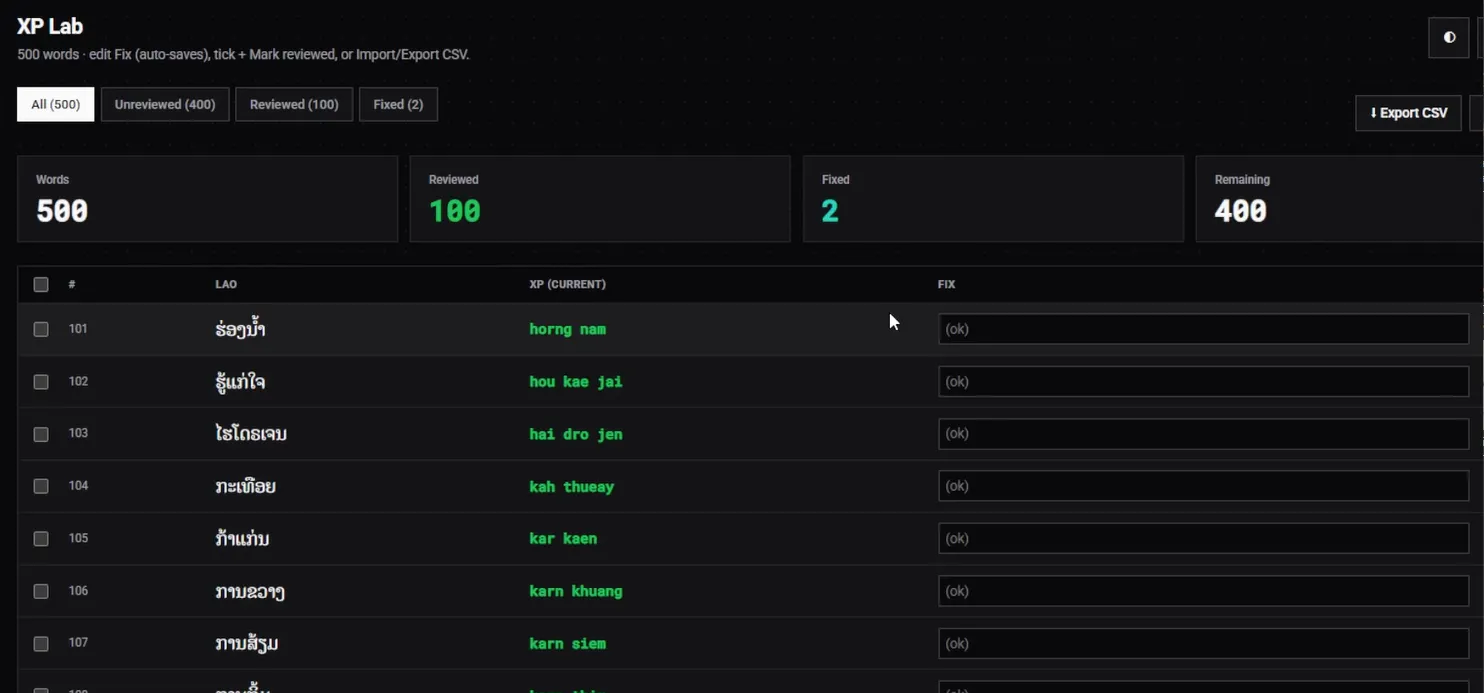
It’s deliberately unglamorous: a plain table, a few counters, and an Import/Export CSV button so I can work through batches and fold them back in.
Most outputs are already fine (I just mark them “ok”), but the ones that aren’t get nudged toward the spelling that feels right to me: the everyday texting-style romanization, not a stiff academic one.
That’s the part automation can’t really do for you. The machine proposes, but matching it to a consistent, human style is taste, and taste still has to be reviewed by hand.
Going backwards is the harder half
Lao → karaoke is the easy direction. The tricky one is the reverse, because romanization throws information away.
Write kai and it could be ໄກ່ (chicken), ໄກ (far), or ໄຂ່ (egg). A human fills in the missing tone and vowel from context, but a tool has to make a sensible call.
So the karaoke → Lao mode leans even harder on offering options rather than pretending there’s one answer. It’s the part I’m still tuning the most, and the main reason the tool shows alternatives instead of a single confident result.
Design: fast, no thinking required
I didn’t invent the layout. I deliberately borrowed one people already know.
My references were the translators I actually use all the time: Google Translate and Yandex Translate (I looked at DeepL too).
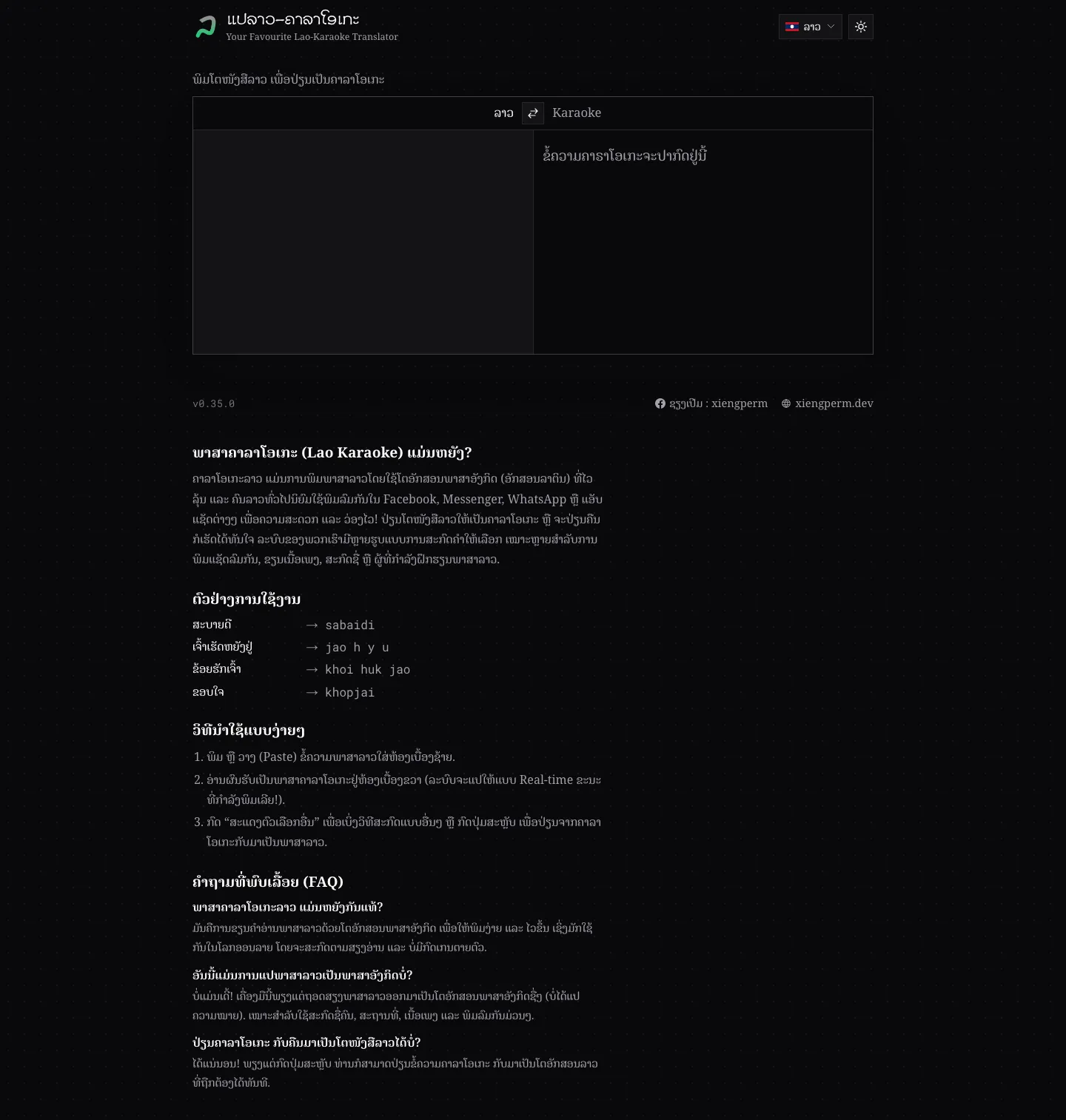
They all share the same shape: two boxes side by side, type on one, the result shows up on the other, with a swap arrow in the middle.
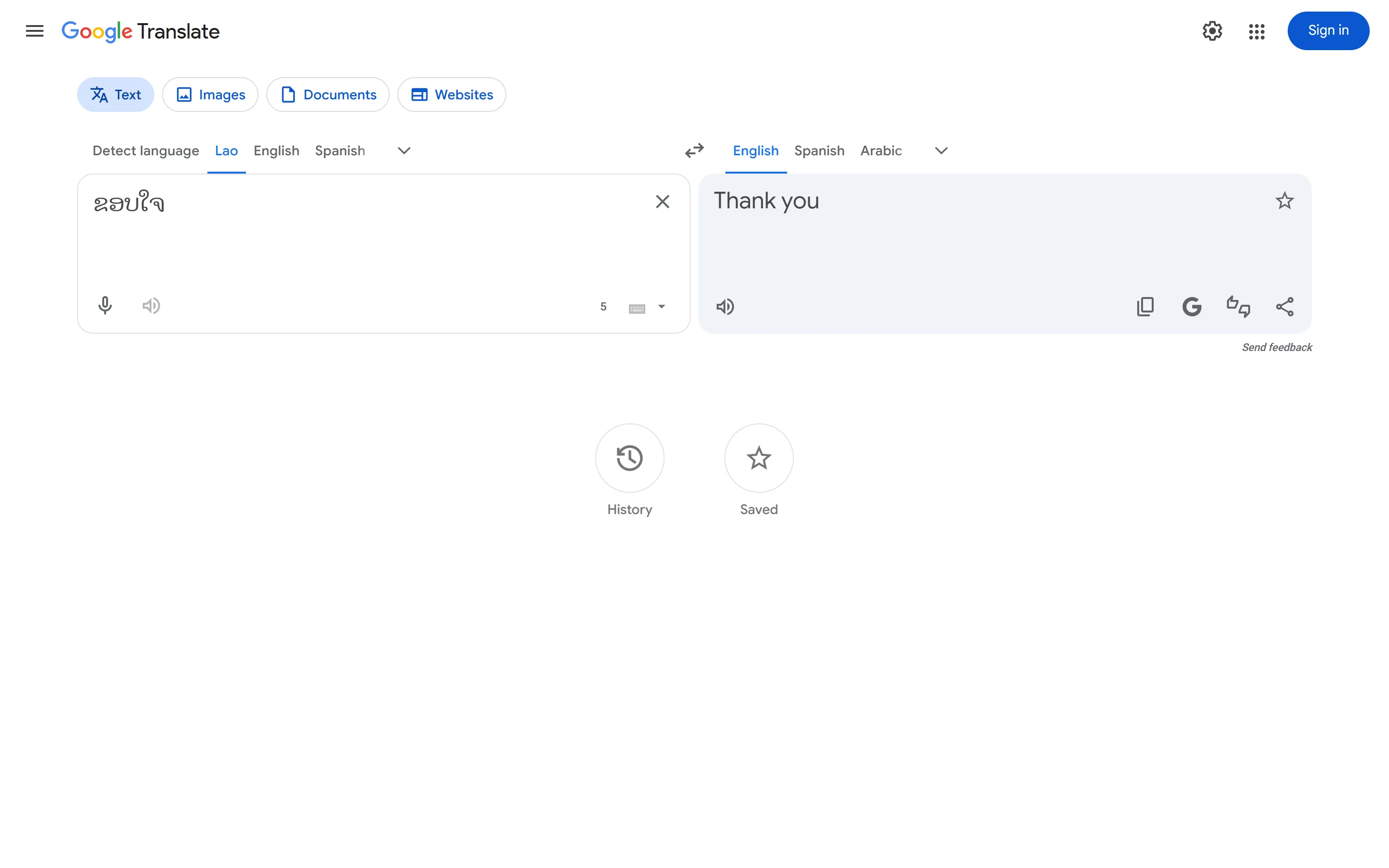
I went with the Google + Yandex pattern specifically because it’s the most accessible one: what most people have touched at least once, and what I kept open in a tab for years.
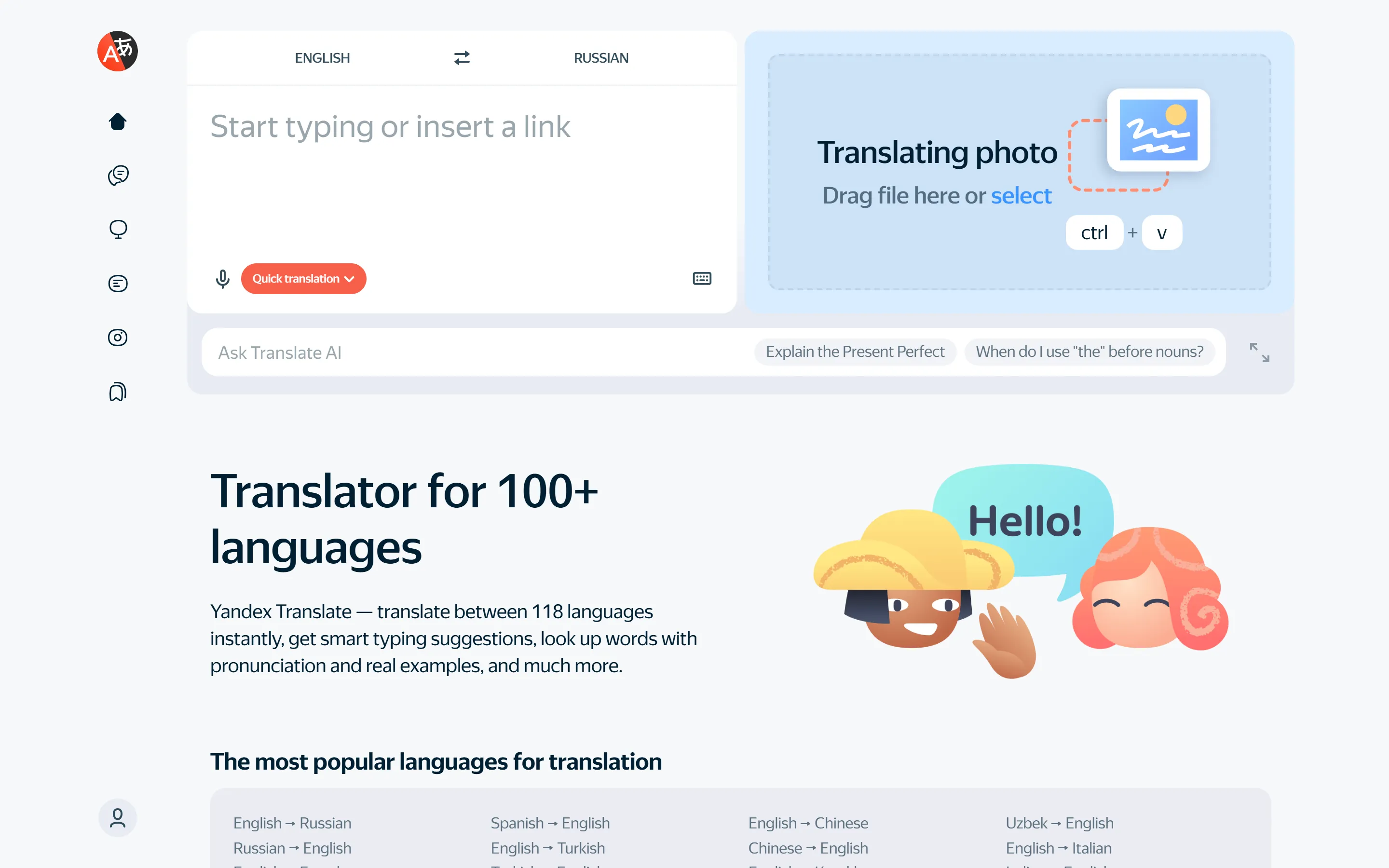
That muscle memory is the whole point: if you’ve ever used Google Translate, you already know how to use Lao Karaoke. No instructions needed.
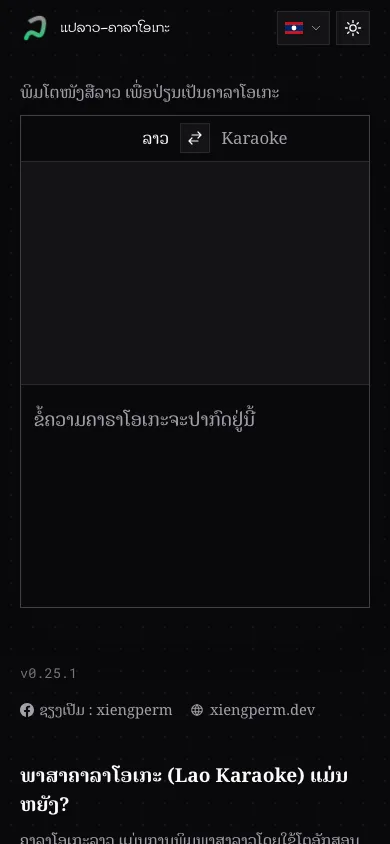
So the interface is meant to be “open it and go”. No steps, no sign-up:
- Two panes, live conversion. Type on the left, output appears on the right instantly. No submit button.
- A swap button in the middle. Flip Lao↔karaoke in one click, both directions.
- Dark mode and mobile-first. Most people open it on a phone while texting, so it has to feel good on a small screen first.
Shipping it before it’s “done”
As I write this, Lao Karaoke is still at v0.35.0, not even 1.0 yet. I chose to ship an early beta instead of waiting for “complete,” because there are a lot of Lao words and the spelling is loose by nature. Waiting for 100% would mean never shipping. Better to put it out, let people use it for real, and improve from the feedback.
What’s next
The roadmap is deliberately small: keep growing the word set from the corrections people send, smooth out the reverse direction, and only call it 1.0 once the everyday words feel reliable. No grand feature list, just making the one job it does feel solid. If it ever earns a mobile keyboard or an offline app, that’s a problem for a future version; right now a fast web page covers 90% of when people actually need it.
What makes a small project like this actually ship isn’t fancy tech, it’s keeping the scope small. Do one thing well (two-way karaoke conversion), then ship, and don’t cram in features nobody asked for. And if you hit a word that comes out odd, send it my way. In the end it’s a tool for the Lao community, built together.